BIG UPDATE — Dota 2
On this page
Following Deadlock and CS2, Dota 2 has fully moved to the new menu and the new renderer. Every feature has been rewritten from scratch. Octarine now has it all, from Dodger to combos for every hero.
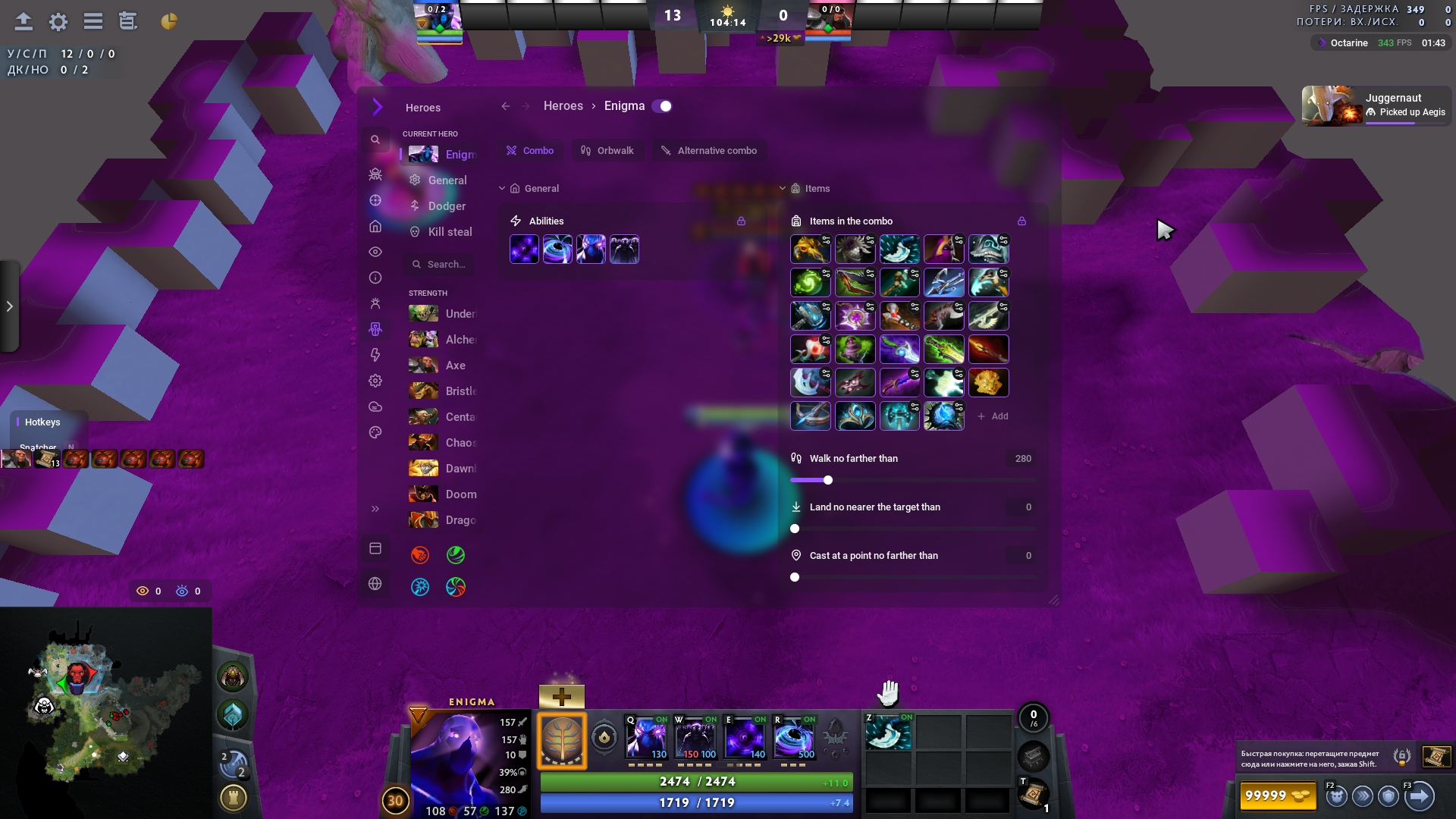
Combo
Every hero now has a combo.
Dodger
Dodger protects your hero from enemy abilities and items on its own:
- Invulnerability and immunity — Manta Style, BKB, Eul's or Phase Shift right before the hit lands.
- Blink, Force Staff and hero leaps — take you out of the ability's way.
- Stun, hex or silence — interrupt the enemy's cast if "In its cast point" is turned on in the threat's card.
- Counterspell — reflects an ability cast at your hero.
- Simply walking away — if there's time, the hero just steps out of the ability without spending a single item.
You choose what to defend with and against which abilities, and you change the order of defences by dragging them. Dodger helps allies too: it casts a defence or Force Staff on them and stuns the enemy targeting them.
Armlet abuse
When your hero is about to die, Dodger toggles Armlet off and back on.
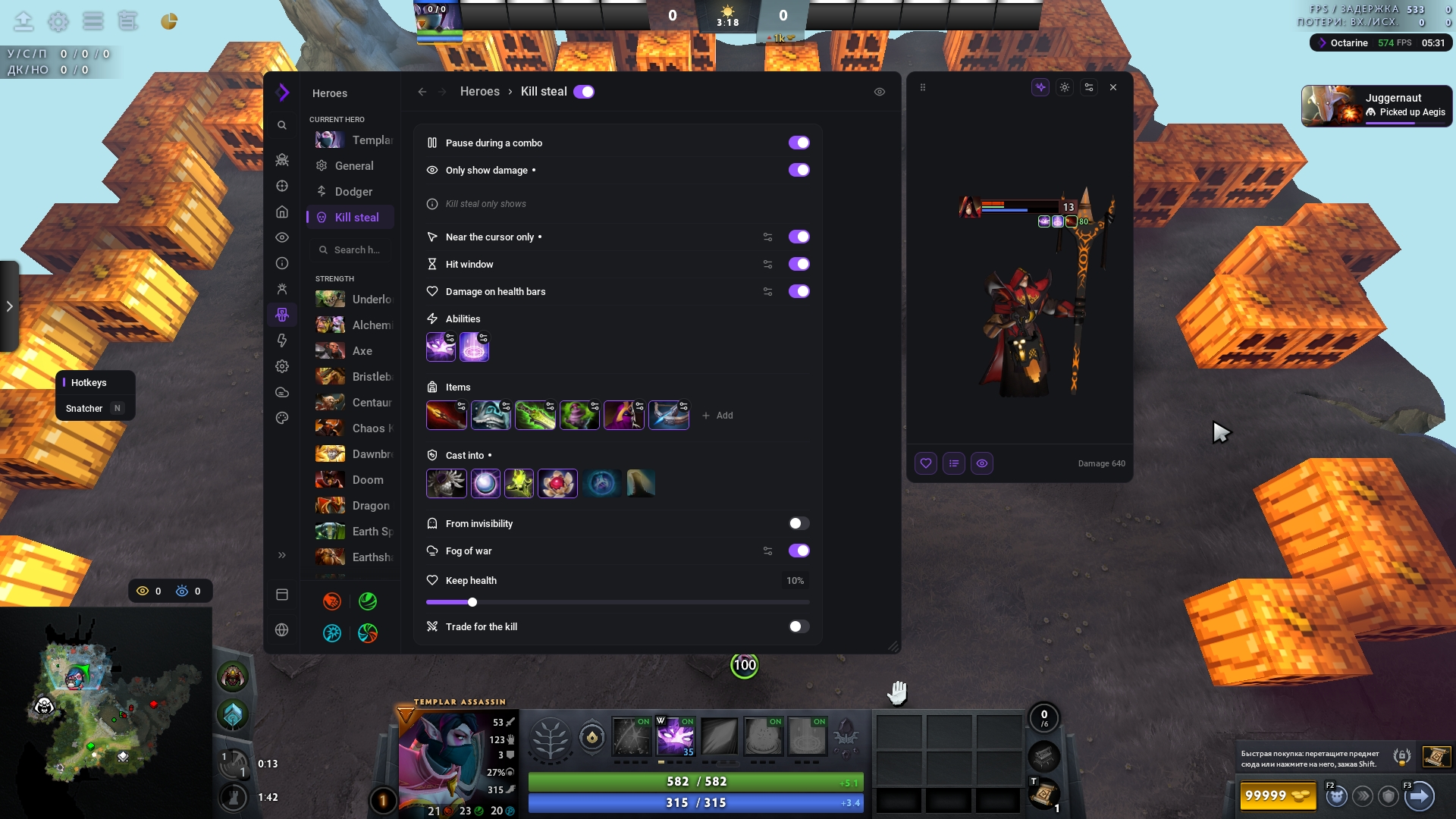
Kill steal
Kill steal finishes enemies off on its own with abilities and items, in a single cast or a chain of several, once their damage is enough.
Every enemy's health bar shows a strip: how much your abilities will take off and what you'll finish them with. It lights up once the damage is enough. There are two display modes: minimal and regular.
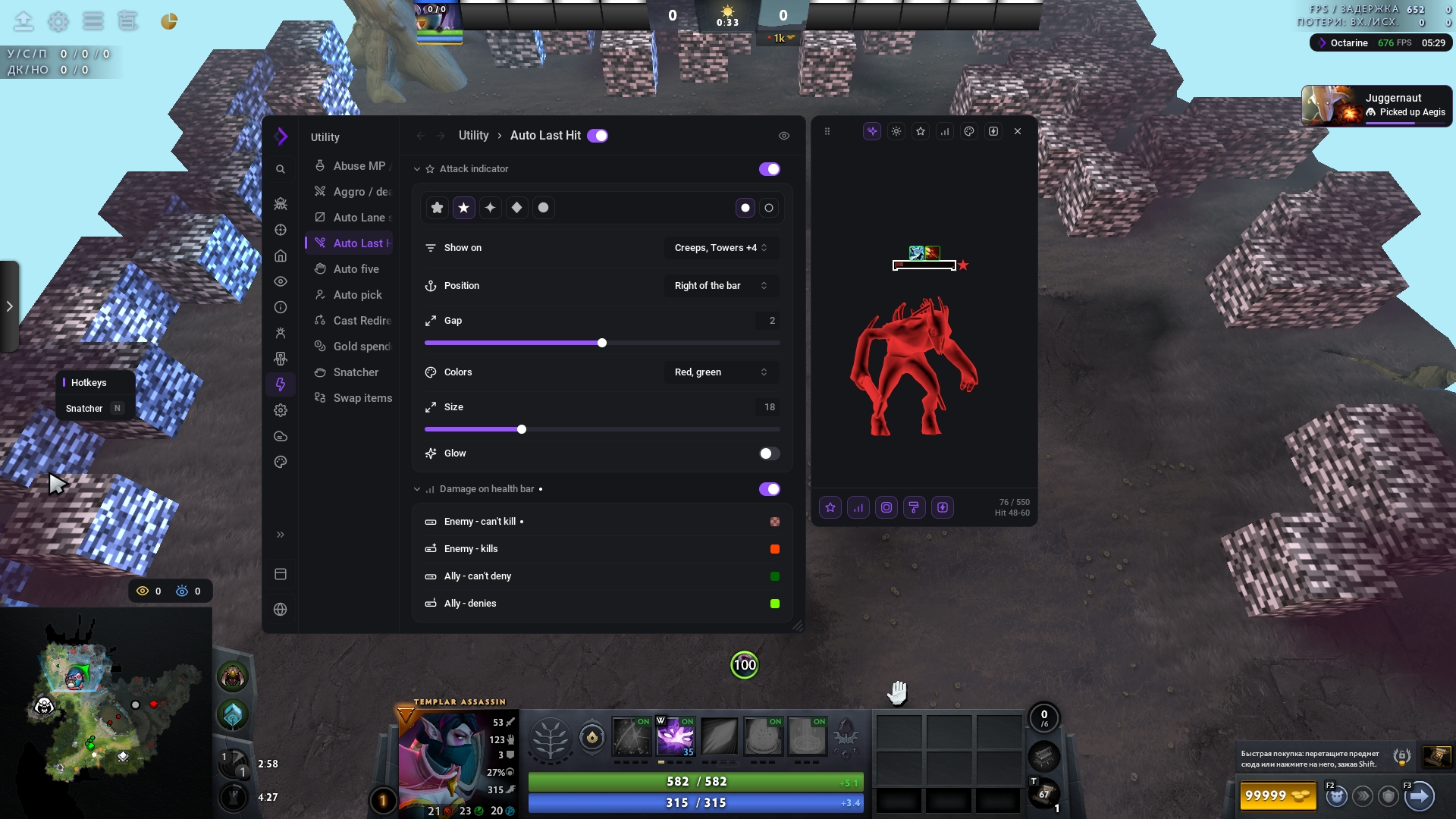
Last hit
The previous version of our last hit beat every competitor's in 1v1 for more than two years, and this time we gave the feature special attention.
It's the first last hit in Dota 2 you can play with at any rank and actually gain an edge. Until now, every last hit worked automatically: the script decided on its own which creep to finish off. That's why they often get it wrong, denying instead of last-hitting, for example, and you lose creeps.
We made a mode where you choose the target yourself, so last hit behaves predictably and does exactly what you want.
- Under cursor — you pick the target, the script picks the moment to hit.
- Near cursor — the script takes the creep closest to your cursor.
- Automatic — you move your hero, and the script last-hits and denies everything within reach.
Humanizer
The humanizer's logic has been reworked, and new settings have been added.
Settings → Humanization now has a pause between casts, target reaction, cast position spread and camera movement (by screen edge or arrow keys).
Without the humanizer
Combo, orbwalk, kill steal and the last hit's "Under cursor" mode work off your cursor even with the humanizer turned off. The script picks the moment, and you decide where to hit: the cast goes to the unit under your cursor, or to the ground under your cursor if it will hit the target. If the target under your cursor is highlighted with chams, the cast can go to it.
The benefits of playing without the humanizer:
- You move the mouse — so even in theory, a server-side anti-cheat can't detect it.
- No humanizer delays — the humanizer needs time to emulate the mouse, and without it the cast goes out faster. The pause between casts and target reaction can be turned off in Humanization.
Chams and 3D preview
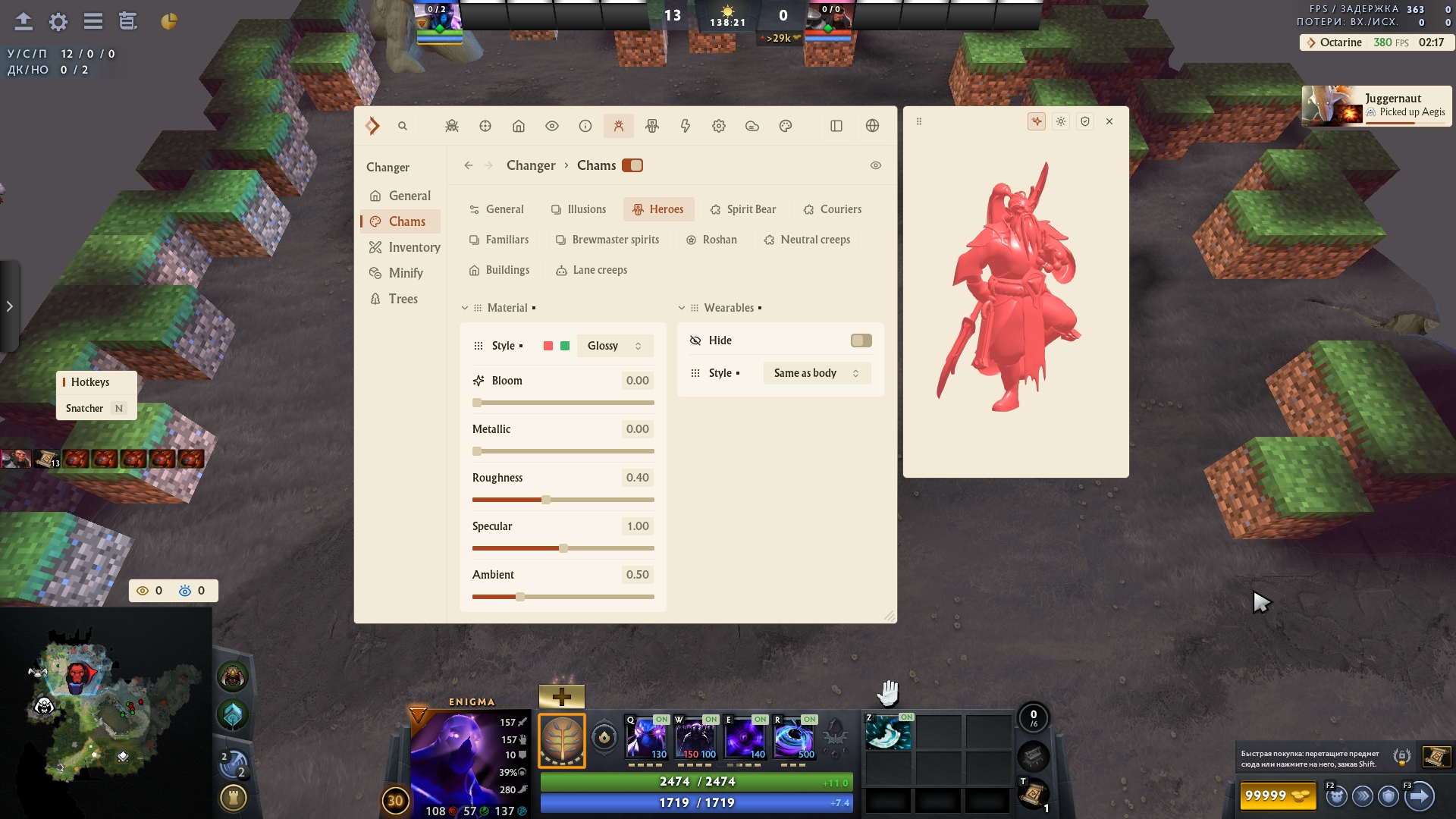
Dota 2 now has chams, built on the same engine as in Deadlock and CS2. You can set a material for heroes, illusions, creeps, couriers, Roshan and buildings, separately for enemies and allies.
- Four materials: Flat, Glossy, Fresnel and Normals. Each of them can glow.
- Illusions can be coloured on their own.
- A hero's cosmetics can be hidden.
Chams live in Changer → Chams, and every change shows up right away in the 3D preview window next to the menu, which shows the model with an in-game health bar. Cooldowns, last hit and kill steal have the same preview. Elements can be dragged around the health bar, and the window itself can be docked to the left or right of the menu.
Changer
Arcanas from the changer work for you in any match as if you'd bought them: animations, effects, sounds, voice lines and on-screen counters. 14 arcanas are supported, from Juggernaut and Pudge to Faceless Void and Ogre Magi.
- Animations are picked by the hero's state: running, standing, chasing, distance to the target. Queen of Pain and Razor, for example, have different attacks up close and at range.
- Buff and kill effects that used to show only with a real arcana are now here.
- Item progress is counted the way the game does it and saved between matches, and Unlock item progress gives you the progress styles right away.
- Share skins — you see the changer skins of other Octarine users in your match, and they see yours. Works when both of you have the option turned on.
- The changer can be turned on and off right in a match.
- The game no longer crashes when you socket a gem or unequip an item, inventory search doesn't freeze, and progress isn't lost.
- The changer breaks less often after Dota patches.
Overwolf
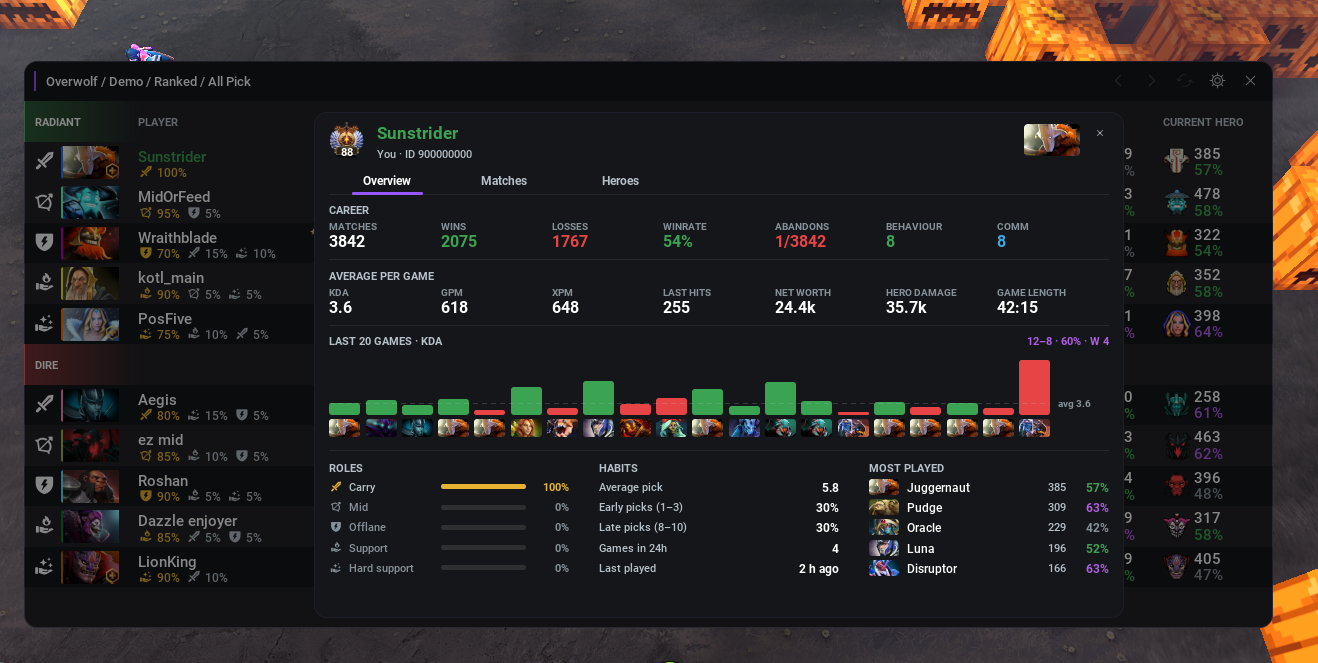
Click a player to open their profile: detailed stats, a KDA chart and favourite heroes.
Summary
The Dota 2 update took 2.1 times as many person-hours as the big update for Deadlock.
Yours,
the Octarine team 💜