Octarine for Deadlock — Under the Radar
On this page
Octarine for Deadlock just received one of its biggest updates yet. The headline is ESP Preview — a draggable panel that shows your ESP visuals right in the menu, so you can dial them in without joining a match. The aim was also heavily reworked, a new per-hero Heroes section now sits next to the Aimbot tab, and there's a one-click FPS Boost mode, a set of fresh on-screen overlays and a long list of fixes.
ESP Preview — see your ESP right in the menu
The headline of the update. With the menu open, a panel now shows exactly how your ESP visuals will look in a fight — so you no longer have to join a match to get your settings right. Drag it anywhere on screen, and it updates live as you tweak.
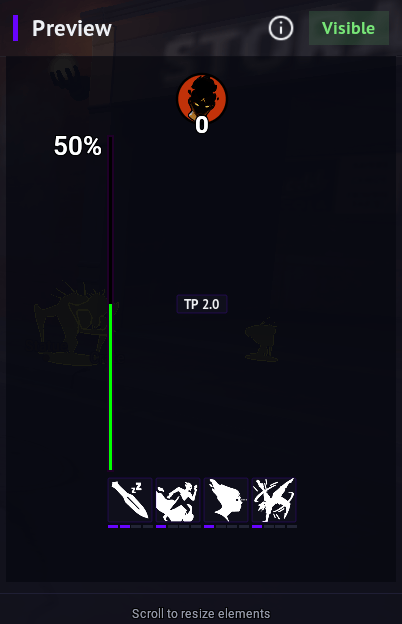
All ESP features are now gathered under a single ESP Preview tab in Visual, instead of being scattered across separate entries.
Aimbot rebuilt, plus a new Heroes section
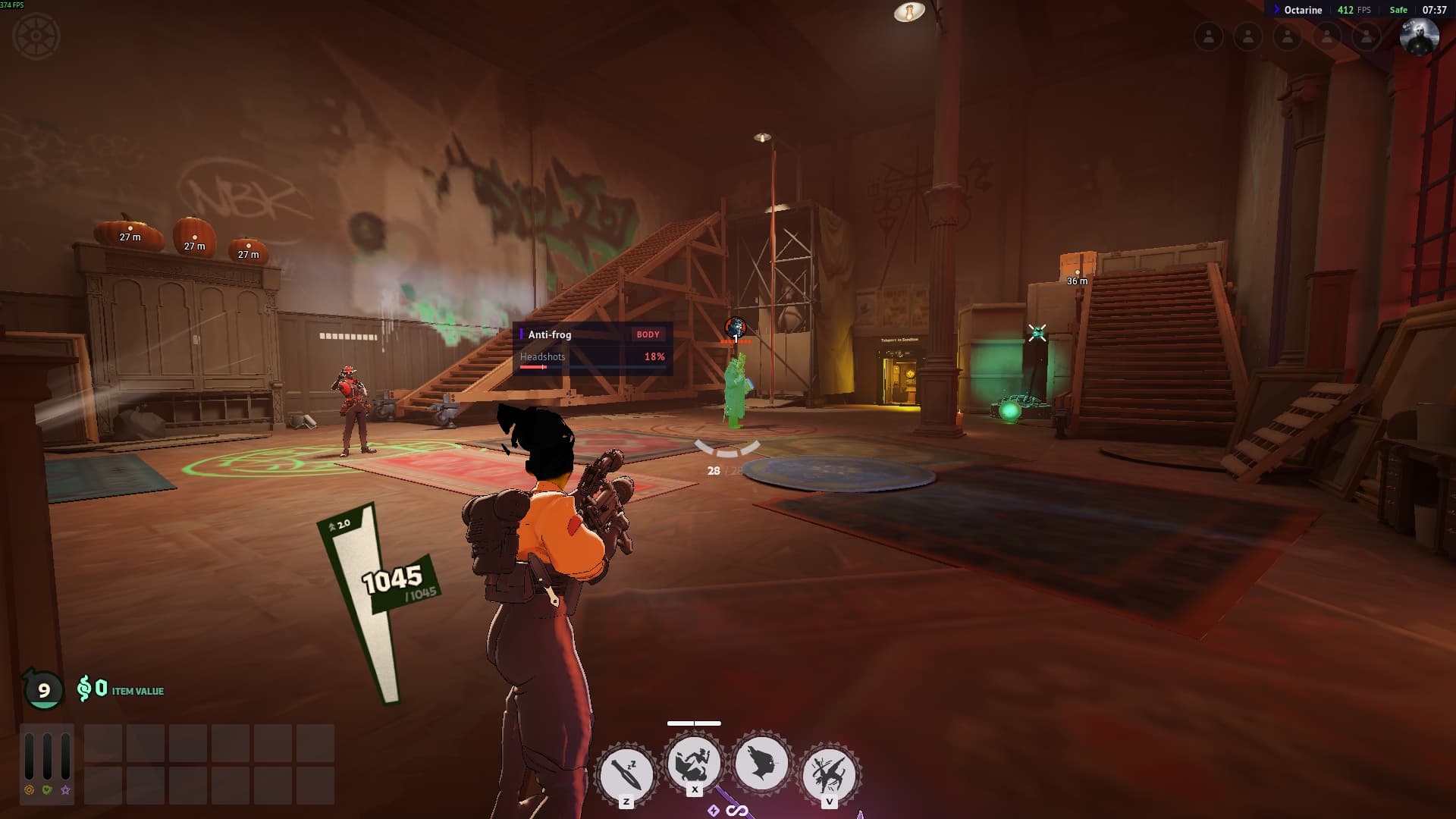
The Aimbot tab holds the shared aim settings, with a new Heroes section beside it: every hero gets its own tab with an "Override settings" switch, so a character either inherits the shared aim or runs its own config.
- Presets — Legit / Semi Rage / Rage configure the whole aim (anti-frog included) in one click. Legit is the default.
- Hybrid mode (pSilent + view turn) for both weapons and abilities. In Hybrid the aim is now softer and no longer spins your character.
- pSilent no longer jerks your view at the moment of the shot, and its old smoothness slider is gone — it now varies the aim slightly on its own to look natural.
- The aim looks more human even on Rage, the camera eases back more smoothly after firing, and silent aim no longer gets you kicked from the match.
Per-hero helpers
Dedicated assistants for the heroes that need them — each one tuned to in-game damage, so items, resistances and barriers all count:
- Vindicta — Snipe: auto-finishes targets the shot is guaranteed to kill (headshot, low-HP bonus and target regen included). Hold the keybind and it aims and fires at the closest enemy near your crosshair; the search-radius ring shows while the key is held.
- Haze — Sleep Dagger: a lead-prediction aim helper, auto-throw at enemies the dagger finishes, a keybind to throw at anyone, and kill drawing.
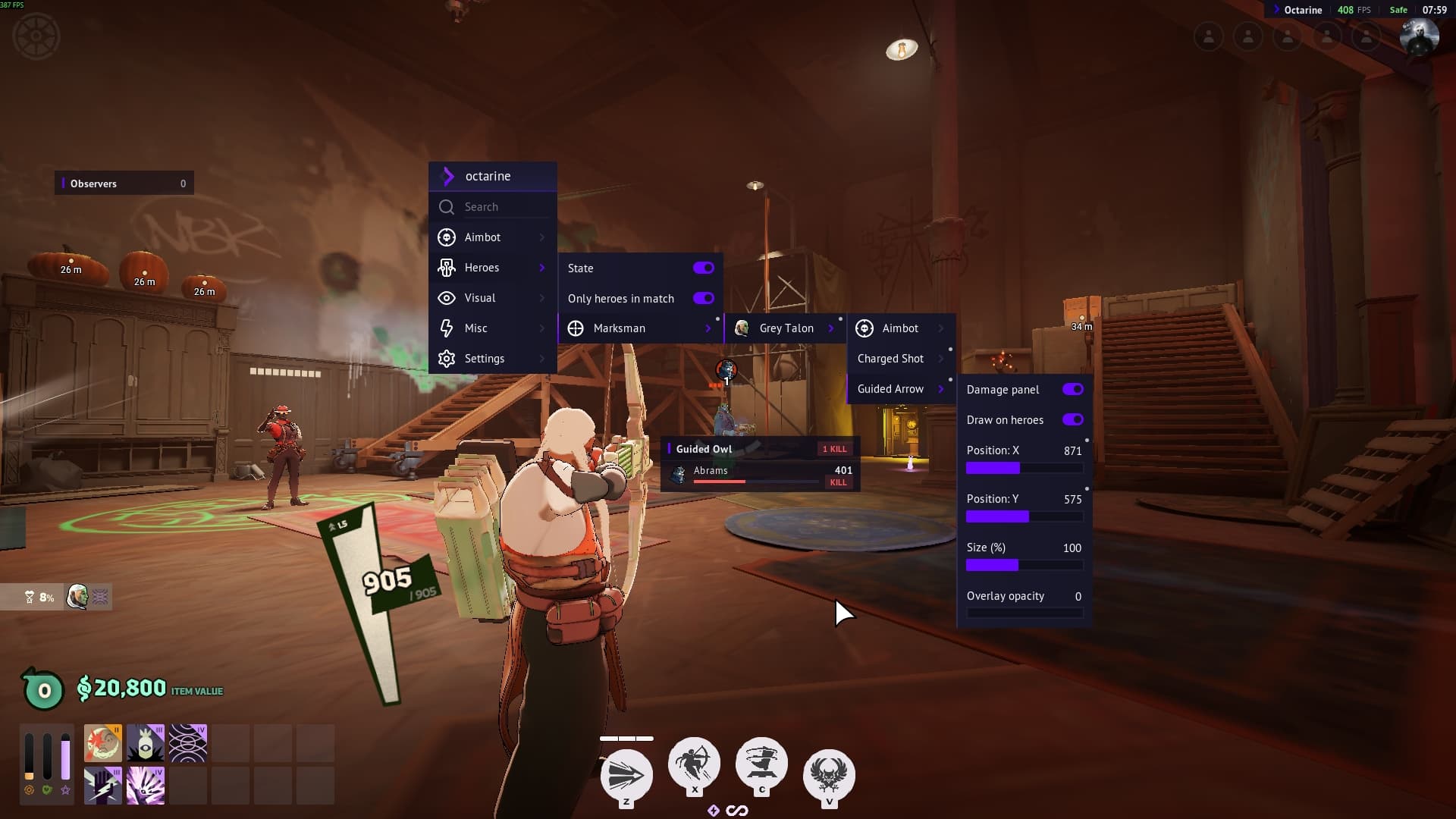
- Grey Talon — Charged Shot: an aim helper while the shot charges (Standard / pSilent / Hybrid).
- Grey Talon — Guided Owl: a damage panel for every enemy hero — icon, name, HP bar with damage preview and a KILL / EXEC verdict (or the HP they'd have left), plus floating panels right over enemies as you steer the owl.
- Mina (Vampire) — Steal Life: auto-finishes an enemy, with a target panel and kill-zone drawing.
Combo
A few heroes also get a full combo — abilities and items are triggered for you with a single keypress.
- Bebop: Hook → Uppercut → Sticky Bomb — the hook pulls the target in, the uppercut lifts them into the air, then the bomb sticks.
- Vindicta: Stake → Crow → Flight. The Snipe finisher keeps priority over the combo, so the camera never fights itself.
- Wraith: Psychic Lift → Card Toss → Rapid Fire — the lift floats the target, then the cards and rapid fire follow.
As it runs, the combo also weaves in items — Capacitor, Heroic Aura, Alchemical Fire and Blood Tribute.
Souls, melee & wall-jump
- Soul trigger bot: automatically shoots souls to secure and deny — Standard or pSilent, with its own radius and a game-time cutoff.
- Auto parry: parries incoming melee for you, with an ON/OFF overlay on screen.
- Auto wall-jump is now its own entry under Misc. Bind it to a key in Hold or Toggle mode, or leave it keyless to run all the time.
Watermark
- Watermark: a compact bar over the game showing FPS, frame time, the match's "1% low FPS", Safe-mode status and a clock. Drag it, resize it and adjust its opacity.
Runes
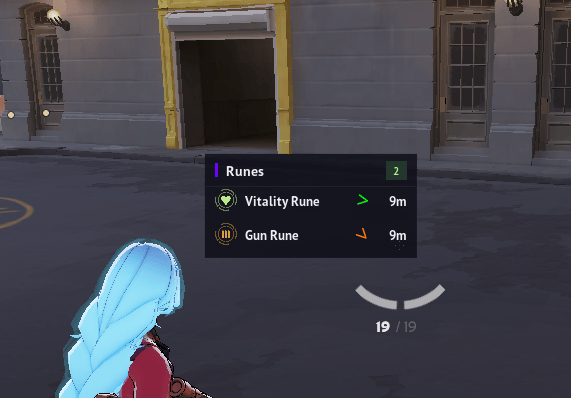
- A new rune panel: a spawn countdown, then a list of runes with icon, name, a direction arrow, distance and remaining lifetime.
- If an enemy is standing on a rune, that hero's icon appears in its row.
- Rune icons in the world and on the minimap (separate toggle), with timers at the spawn points.
Cheater detector, menu search & observers
- Cheater detector: flags players with an impossibly high headshot rate and lists them on screen. The threshold and minimum hits are configurable.
- Menu search: a search bar at the top of the menu — type a setting's name and jump straight to it.
- Observers: see who's spectating you (hero icon and nickname); the counter turns red while someone is watching.
- Every HUD panel shares the menu's look and can be dragged, with adjustable opacity and size.
FPS Boost
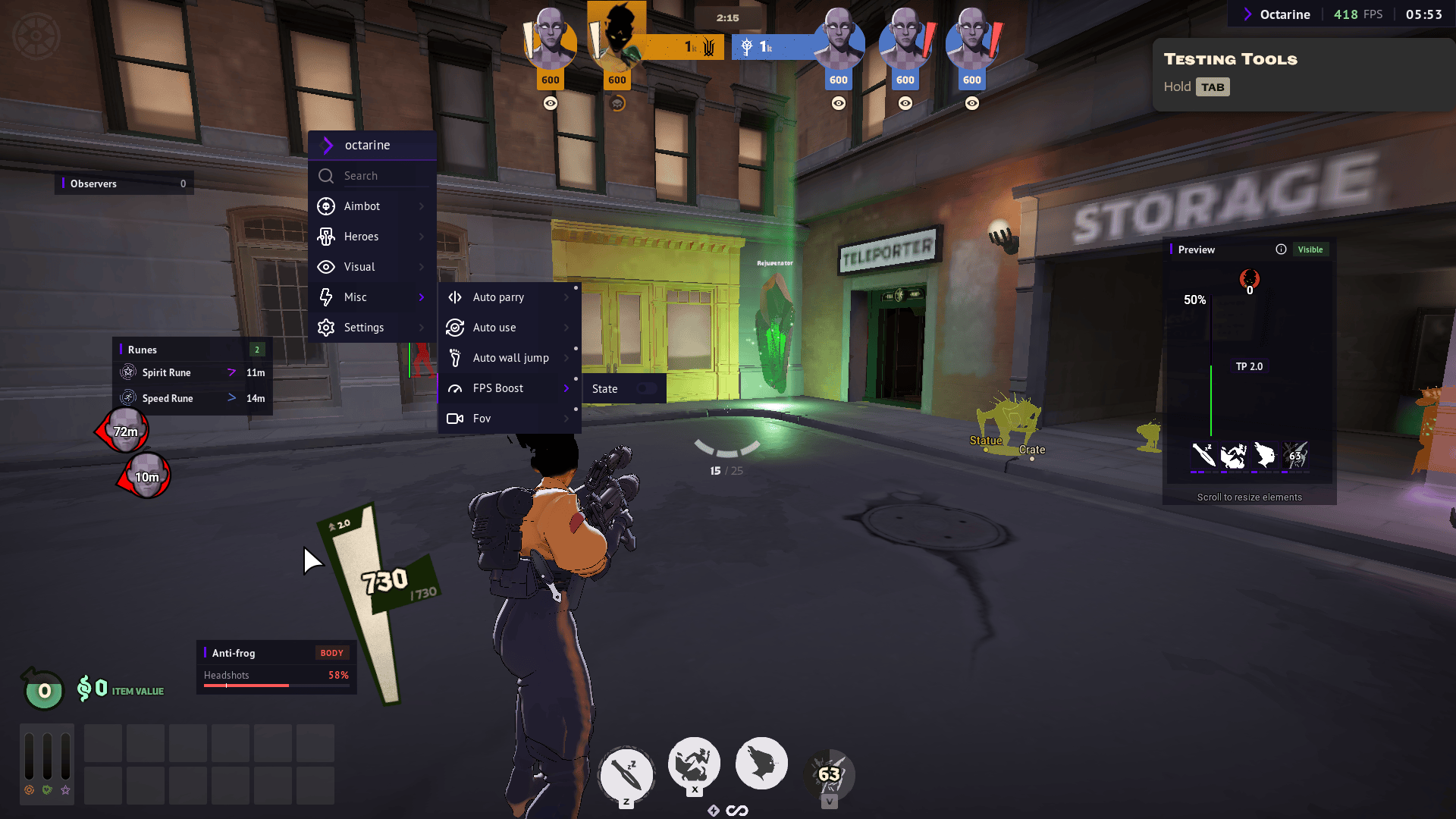
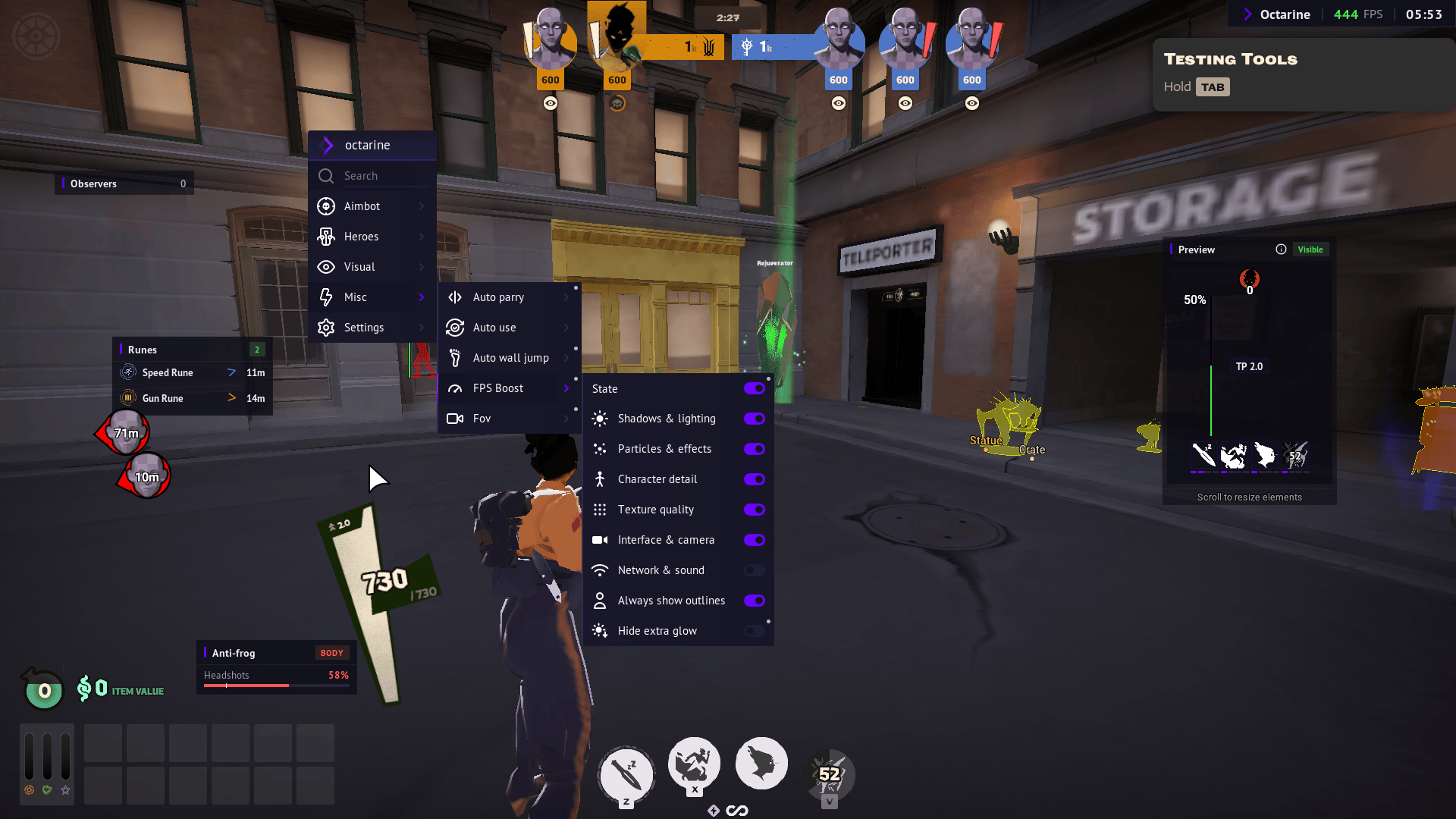
A new Misc → FPS Boost: one toggle raises FPS by lowering graphics, and turning it off restores all your original settings. It's split into groups you can toggle individually — Shadows & lighting, Particles & effects, Character detail, Texture quality, Interface & camera, and Network & sound — plus Always show outlines (hero outlines visible at any distance) and Hide extra glow (bosses, creeps, health bars).
Safe mode
- Safe mode caps dangerous settings (Rage and similar) without wiping your config — turn it off and everything comes back.
- After reloading scripts, the "Disable Safe mode?" prompt no longer pops up on its own; it appears only when you turn the mode off yourself or switch to a Rage preset.
Menu animations
All interface animations now live in one place — a new Settings → Animations tab — and each can be turned on or off:
- Menu open animation — the menu fades in smoothly as it opens.
- Tab open animation — a tab's contents unfold when you open it.
- Tab hover animation — the arrow animates as you hover over a tab.
Icons across the menu
Around 40 new icons were added, and now almost every toggle has its own.
Visuals, language & performance
- The enemy Guided Owl is now highlighted, so you can see when and from where it's being steered at you.
- Glow and sound markers no longer stick to dead or removed enemies, and enemy HP bars and boxes are cleaner and steadier.
- Hero, ability, item and rune names come straight from the game in your selected language. The menu and tooltips have full Russian and Chinese translations; English is the default.
- Rendering leaks and wasted work (Vulkan) were cleaned up for steadier FPS in long matches, and input is more reliable — keybinds and auto-actions from different features no longer fight each other.