Skin changer and inventory for CS2
On this page
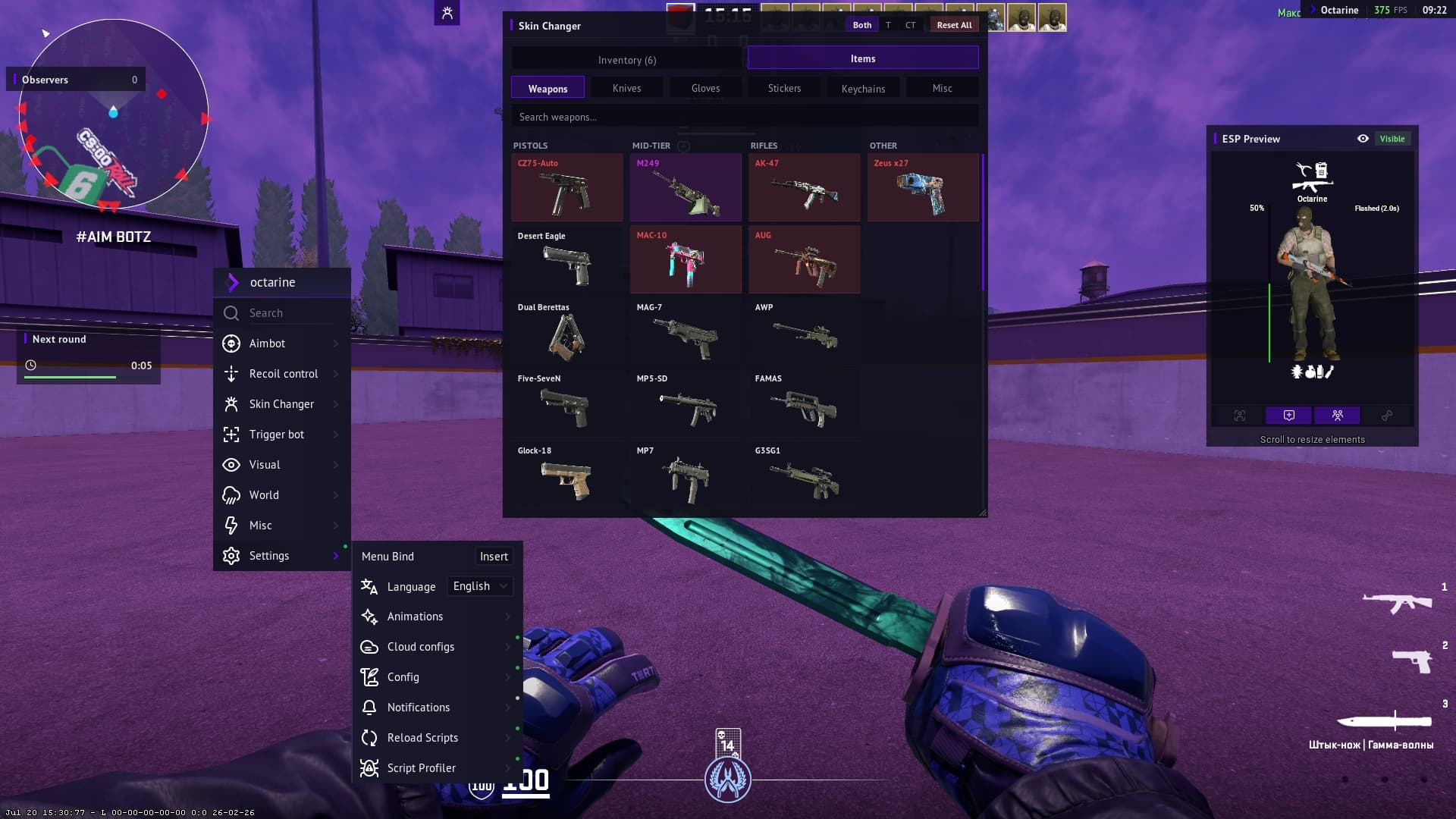
Octarine for CS2 now has a Skin Changer alongside an Inventory Changer. Swap skins straight from the menu — on weapons, knives and gloves — or add items to your inventory. Stickers and keychains are supported too. Everything applies instantly.
Items and inventory
The Skin Changer section opens with two tabs, and they cover two different scenarios.
- Items — the game's full catalogue. Pick a weapon, pick a skin, and it's in your hands right away.
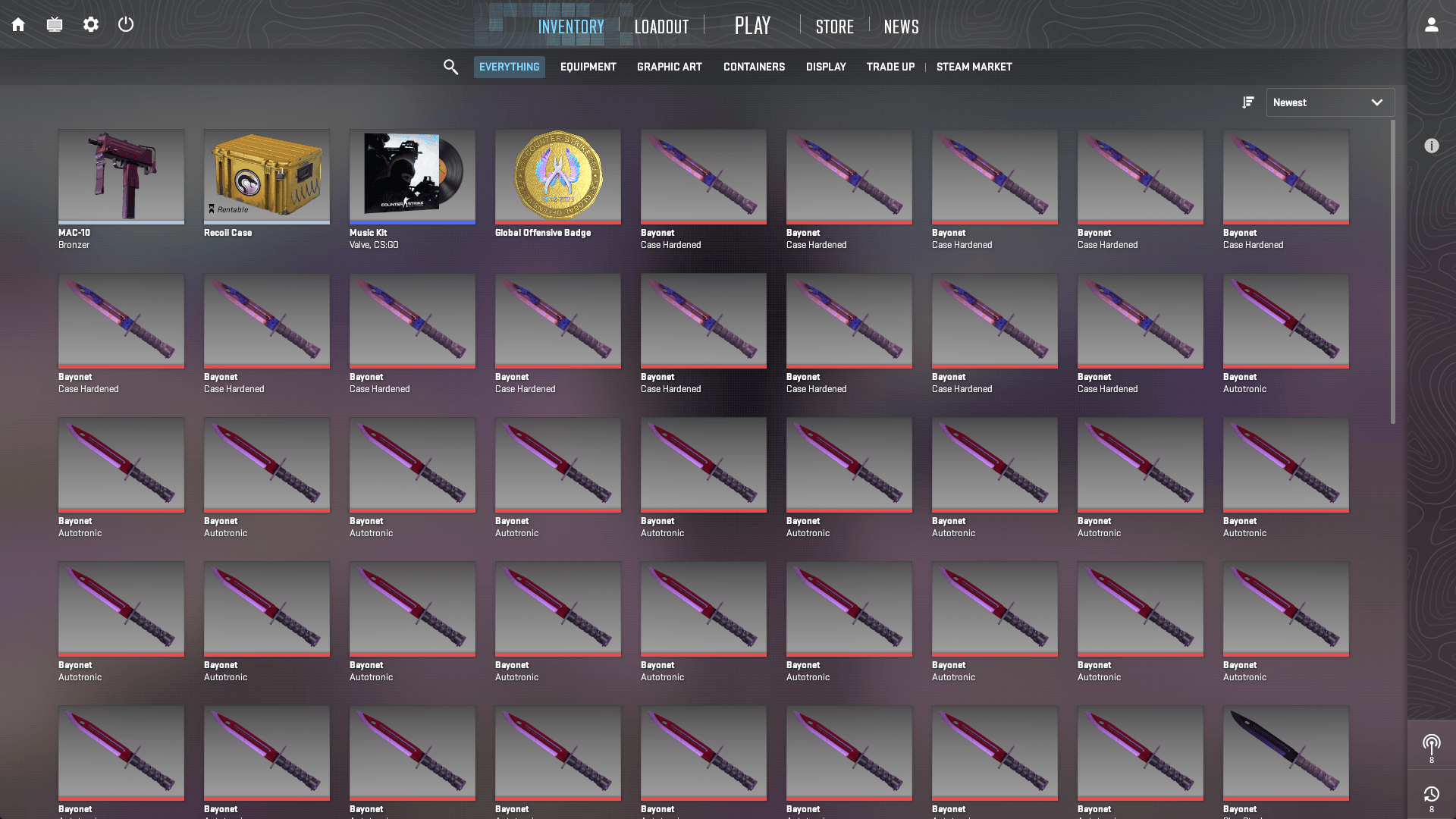
- Inventory — everything you've added to yourself. Items sit in your inventory and you switch between them like any other piece of gear.
At the top there's a team switch — Both / T / CT: set one skin for both sides at once, or different ones for Terrorists and Counter-Terrorists. Reset All returns the whole loadout to default in a single click.
Wear and seed
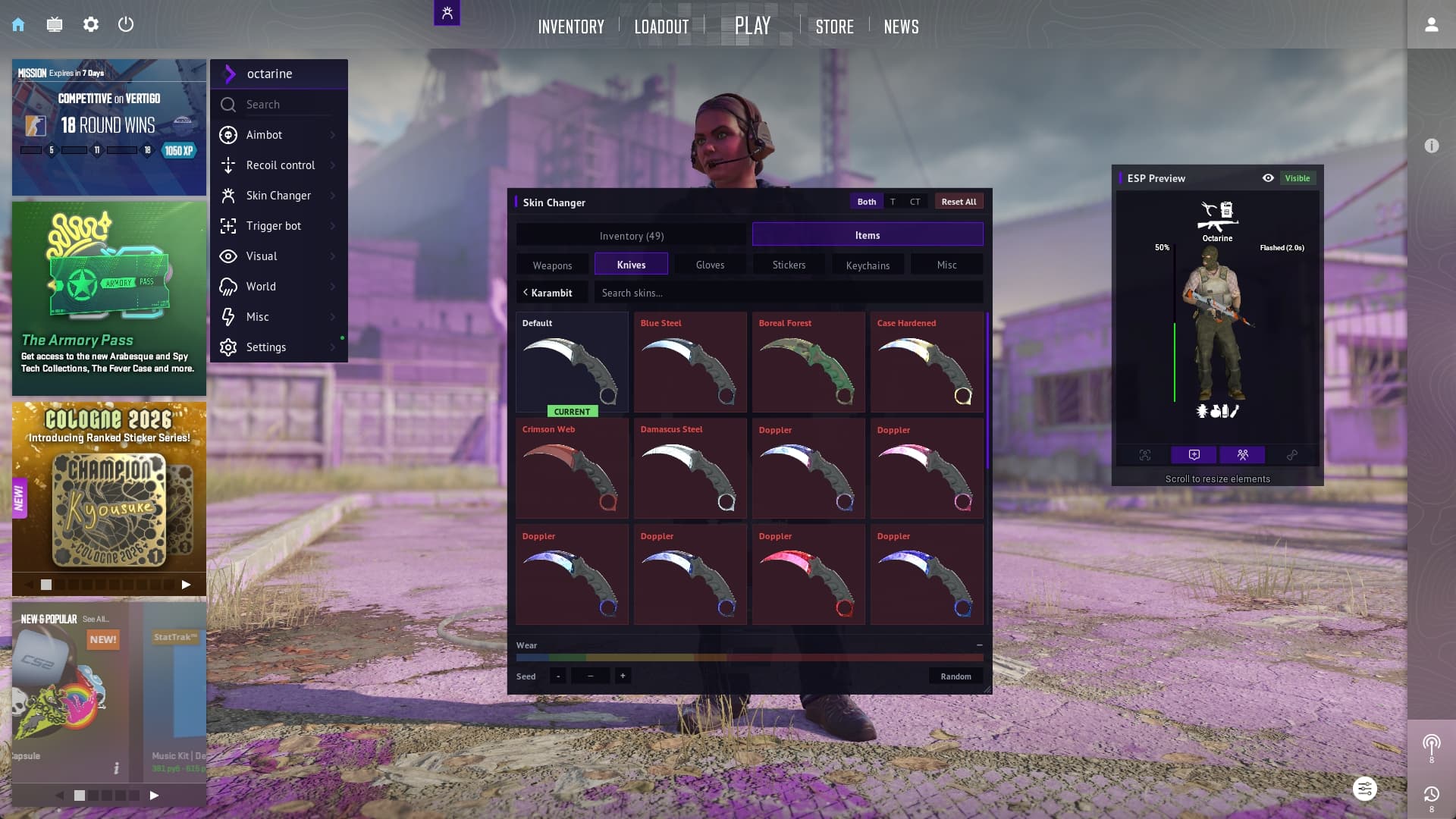
Below the skin grid are the two settings that make an item yours:
- Wear — a slider across the full range, from factory new to battle-scarred. The gradient above it shows exactly where you land.
- Seed — the pattern index. Nudge it with the buttons next to it or hit Random.
New skins show up on their own
After every CS2 update, all the new skins are pulled into the software automatically. There's no separate patch from us to wait for: a case drops, and the items are already in the list.